Making a Playbook
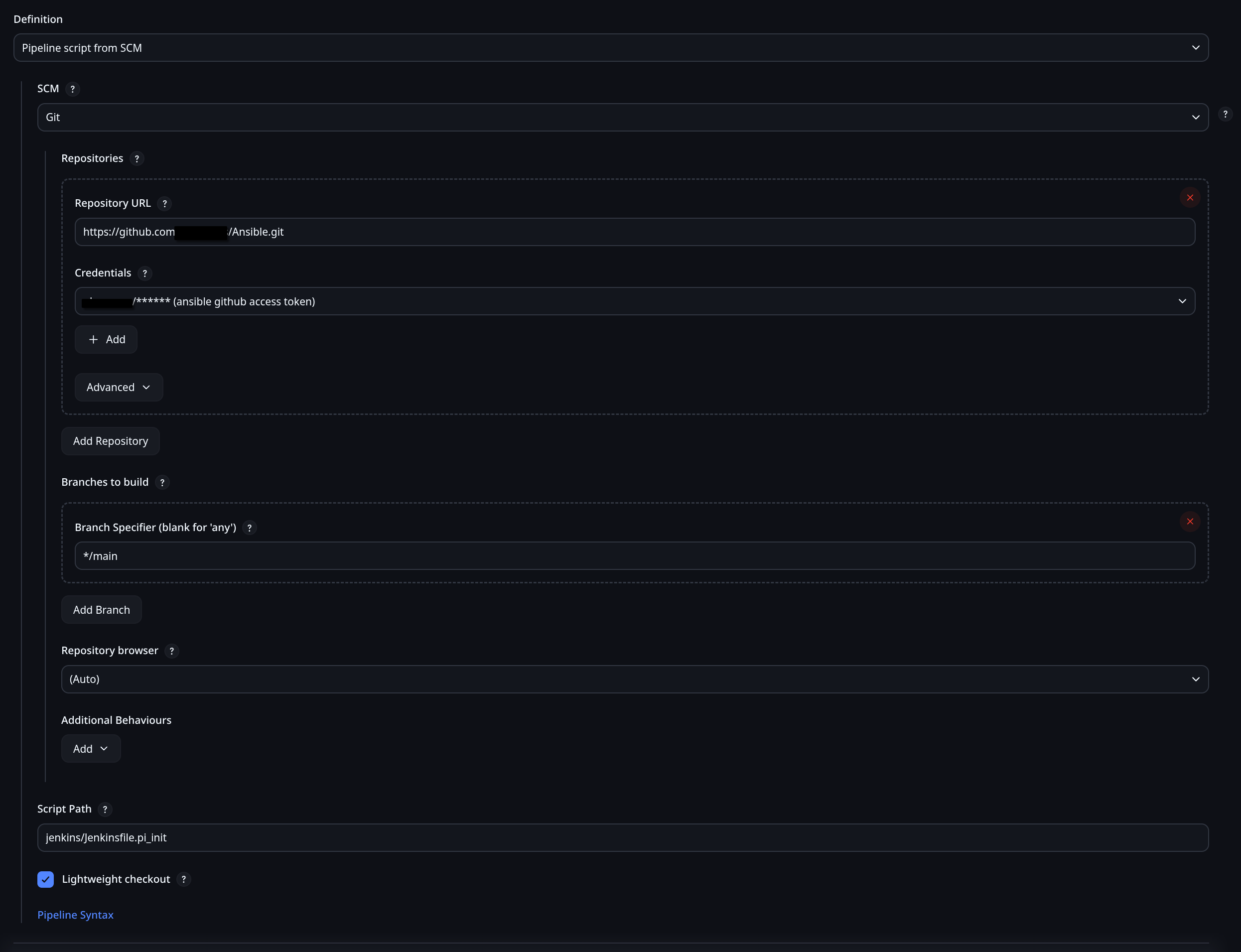
Assuming you have the container running, you should be able to set up a playbook. Before this, you should set up the link with Github. I don't remember exactly how I did that either, so I found a guide. Turns out it's easy to checkout, it was the part about the Repo needing credentials that was hard. I remember it took a little while to get the Github SSH keys all set up, but now that I have them it's trivial. Here is an old playbook I wrote before learning how to use Ansible. I wrote it to set up my first PXE server. In fact, I wrote it so long ago that I've lost it entirely. Sorry, guess I can't share that with you. I will start with a simply Jenkisfile that injects the SSH key into a new NanoPi Device and runs a super simple playbook. Ansible requires an inventory file; assuming you're not actually keeping an Ansible inventory file, then you need to generate an inventory file. This is done by some script that the Jenkinsfile runs. This inventory.sh script takes a list of IPs and creates an inventory file that ansible-playbook can read. This is less important than what the Jenkinsfile shows; specifically this shows how to run commands with variables, how the SSH key works, and how to run a very simply Ansible playbook.
Jenkinsfile
pipeline {
    agent any

    // Define parameters
    parameters {
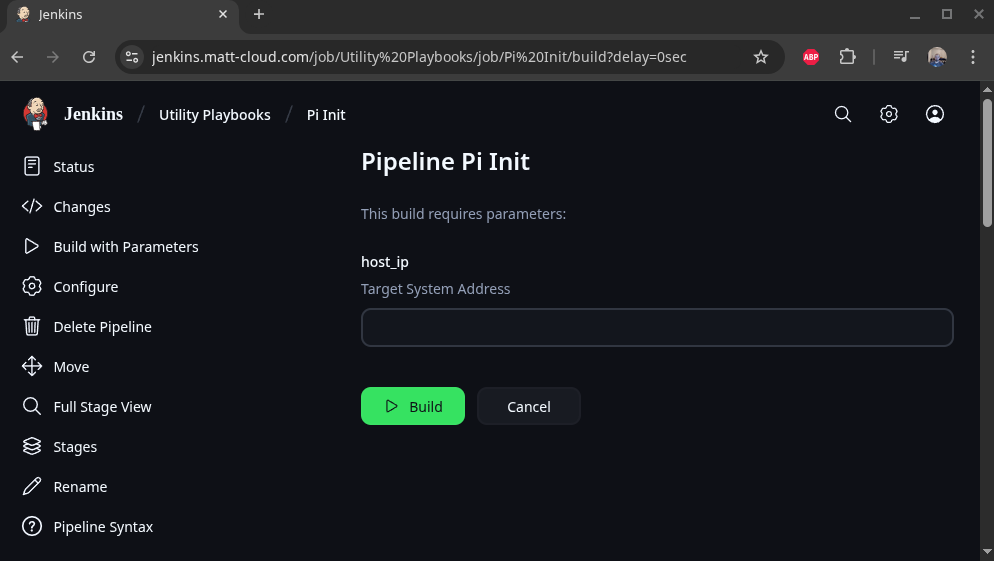
        string(name: 'host_ip', description: 'Target System Address')
    }

    environment {
        ANSIBLE_FORCE_COLOR = '1'
        jenkins_public_key = credentials('jenkins_public_key')
    }

    options {
        ansiColor('xterm')
    }

    stages {

        stage('Inject Auth Key') {
            steps {
                script{
                    // clear ssh keys
                    echo "Target IP: ${params.host_ip}"

                    sh """
                    ssh-keygen -f "/root/.ssh/known_hosts" -R "${params.host_ip}"
                    """

                    sh """
                    echo Copy public key to pi home dir
                    sshpass -p 'pi' ssh -o StrictHostKeyChecking=no pi@${params.host_ip} "echo ${env.jenkins_public_key} > /home/pi/authorized_keys"
                    """

                    sh """
                    echo Make sure /root/.ssh exists
                    sshpass -p 'pi' ssh -o StrictHostKeyChecking=no pi@${params.host_ip} "echo pi | sudo -S mkdir -p /root/.ssh/"
                    """

                    sh """
                    echo Move public key to root
                    sshpass -p 'pi' ssh -o StrictHostKeyChecking=no pi@${params.host_ip} "echo pi | sudo -S mv /home/pi/authorized_keys /root/.ssh/authorized_keys"
                    """

                    sh """
                    echo Restrict permissions on file
                    sshpass -p 'pi' ssh -o StrictHostKeyChecking=no pi@${params.host_ip} "echo pi | sudo -S chmod -R 600 /root/.ssh/"
                    """

                    sh """
                    echo Set owner to root
                    sshpass -p 'pi' ssh -o StrictHostKeyChecking=no pi@${params.host_ip} "echo pi | sudo -S chown -R root:root /root/.ssh/"
                    """
                }
            }
        }

        stage('Generate Inventory File') {
            steps {
                // Generate the dynamic inventory file
                sh """
                cd /var/jenkins_home/ansible
                chmod +x /var/jenkins_home/ansible/inventory/inventory.sh
                /var/jenkins_home/ansible/inventory/inventory.sh ${params.host_ip}

                """
            }
        }

        stage('Ansible Check') {
            steps {
                sh """
                echo ${params.host_ip}
                hash=\$(echo -n ${params.host_ip} | md5sum | cut -c 1-8)
                inventory_file="/var/jenkins_home/ansible/.inv/inventory-\$hash.yml"

                cd /var/jenkins_home/ansible

                ansible-playbook -i \$inventory_file \
                    /var/jenkins_home/ansible/playbooks/pi-init.yaml --ssh-common-args='-o StrictHostKeyChecking=no'

                """
            }
        }

    }


    post {
        always {
            // Remove dynamic Inventory file
            sh """
            hash=\$(echo -n "${params.host_ip}" | md5sum | cut -c 1-8)
            inventory_file="/var/jenkins_home/ansible/.inv/inventory-\$hash.yml"
            rm \$inventory_file

            """
        }
    }

}
pi-init.yaml
---
- name: Ansible Test
  hosts: all
  become: yes

  # this is meant just as a tiny playbook to run after the public key is injected with jenkins
  tasks:
  # Check System Architecture
  - name: Check CPU Arch
    shell: "dpkg --print-architecture"
    register: cpu_architecture_output

  - name: Display cpu_architecture_output variable
    debug:
      msg: "{{ cpu_architecture_output.stdout_lines[0] }}"

...
inventory.sh
#!/bin/bash

# Dynamic inventory generation script for comma-separated list of IPs from Jenkins

# show ansible version
ansible --version

# Get the comma-separated list of IPs from the first argument
IP_LIST=$1
# HOST_NAME=$2

# Generate an 8-character hash from the IP list
echo $IP_LIST
hash=$(echo -n "$IP_LIST" | md5sum | cut -c 1-8)
echo $hash

# Define the inventory file path with the hash
inventory_file="/var/jenkins_home/ansible/.inv/inventory-$hash.yml"

# Initialize the YAML inventory content
inventory_content="---
all:
  hosts:
"

# Loop through each IP in the comma-separated list
IFS=',' read -ra IPS <<< "$IP_LIST"
for IP in "${IPS[@]}"; do
    inventory_content+="    ${IP}:
      ansible_user: root
"
done

inventory_content+="  vars:
    ansible_connection: ssh
    ansible_ssh_private_key_file: /var/jenkins_home/jenkins_key
    ansible_python_interpreter: /usr/bin/python3
"

# Write the inventory content to the file
echo "$inventory_content" > $inventory_file

echo "Inventory file created at $inventory_file with the following content:"
cat $inventory_file
This is how to configure this to pull from Github: