
Single Sign On
I built a SSO system mostly to protect some of my more sensitive sites.sites However,and nowfacilitate a consistent login experience. Now that I did the hard work of getting it working, it's super easy for me to do stuff like secure a knowledgebase site with a SSO login.
The SSO login is https://auth.matt-cloud.com/ and you can manage multi-factor methods here. There is no other user visible functionality here, but it's worth mentioning.
The platform is called Authelia and I have it running in a docker container like everything else these days.
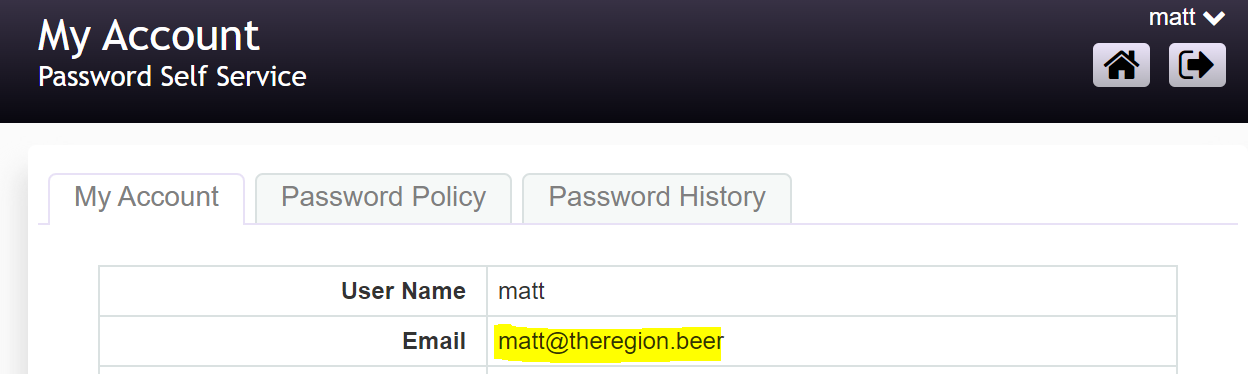
I have a pretty well configured guacamole instance protected by Authelia and 2FA now, and I have discovered a slight issue. During the 2FA device registration the service will send an email with a code to your email I have programmed in AD. However, if the receiving email server likes to click on links as part of the spam filter, then the code will be invalidated before it can be used. I discovered this happening with a test account that sent these codes to my tesla.com email address. Any Tesla folks that want Terminal Server access or otherwise need 2FA on Matt Cloud I'll need a different email address. If you want I can just set up a mailbox on my server for this too. You can see your current email address on the SSPR under your My Account page at the top. If it's missing or wrong let me know and I'll fix it up.
I did notice a potential issue that popped up with my tesla email address at first. Along with the code to verify your email it had a button you could click to invalidate the code so it can't be used. The reason for this is in case your account is compromised it will give you a chance to prevent a successful email challenge. It seem that if the receiving email server likes to click on links as part of the spam filter, then the code will be invalidated before it can be used every time. I discovered this happening with a test account that sent these codes to my tesla.com email address. I think I've found a way to get around this by configuring the emails to be text-only; this way there is no box for the spam filter to click. I tested again with my tesla email address, and this time I was able to proceed past entering the code. TL/DR there was a bug with tesla email accounts that I think shouldn't happen anymore.