
Account Management
I configured a site that you can use to manage your Matt-Cloud password and email address. You can also reset your password through the same tool if you ever forget it, as long as you have set up one of the recovery methods in advance. This can be through a challenge question-answer method, a Timed One-Time Password, or through email. Since you can read this, that means you know your password, and can configure all these now so you can get back in if you ever do forget your password someday. I also recently created a page where you can see your AD group membership. As long as you're logged in, you can visit https://groups.matt-cloud.com and see your up-to-date group membership. There is also a link to this on the account management page.
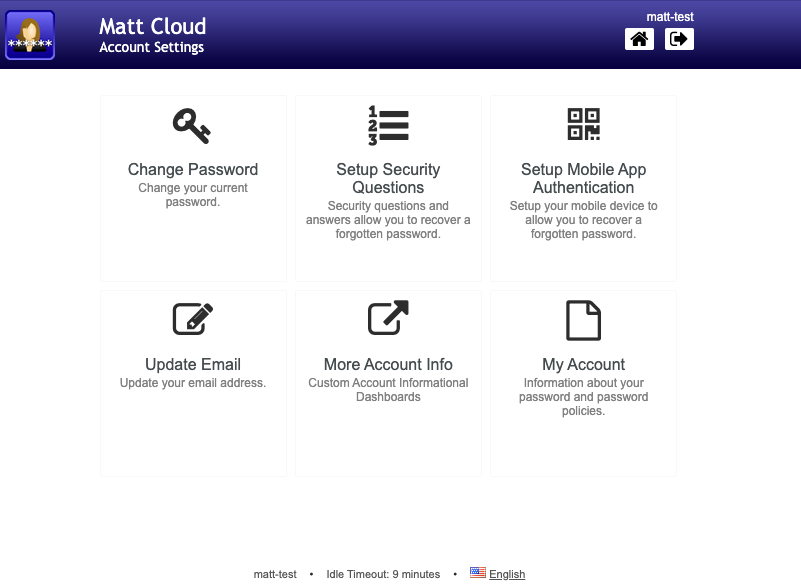
Sample initial SSPR home screen is shown below. Here you can see the various options available to you, including setting up the challenge questions and the TOTP. The links to change your password and email or to view account information are all here. Since this is linked with the Matt-Cloud SSO, it means you can reach this and view account information without re-entering your password. I still require your current password be entered before updating email or password.
The account info screen will show your email address along with some other account information.

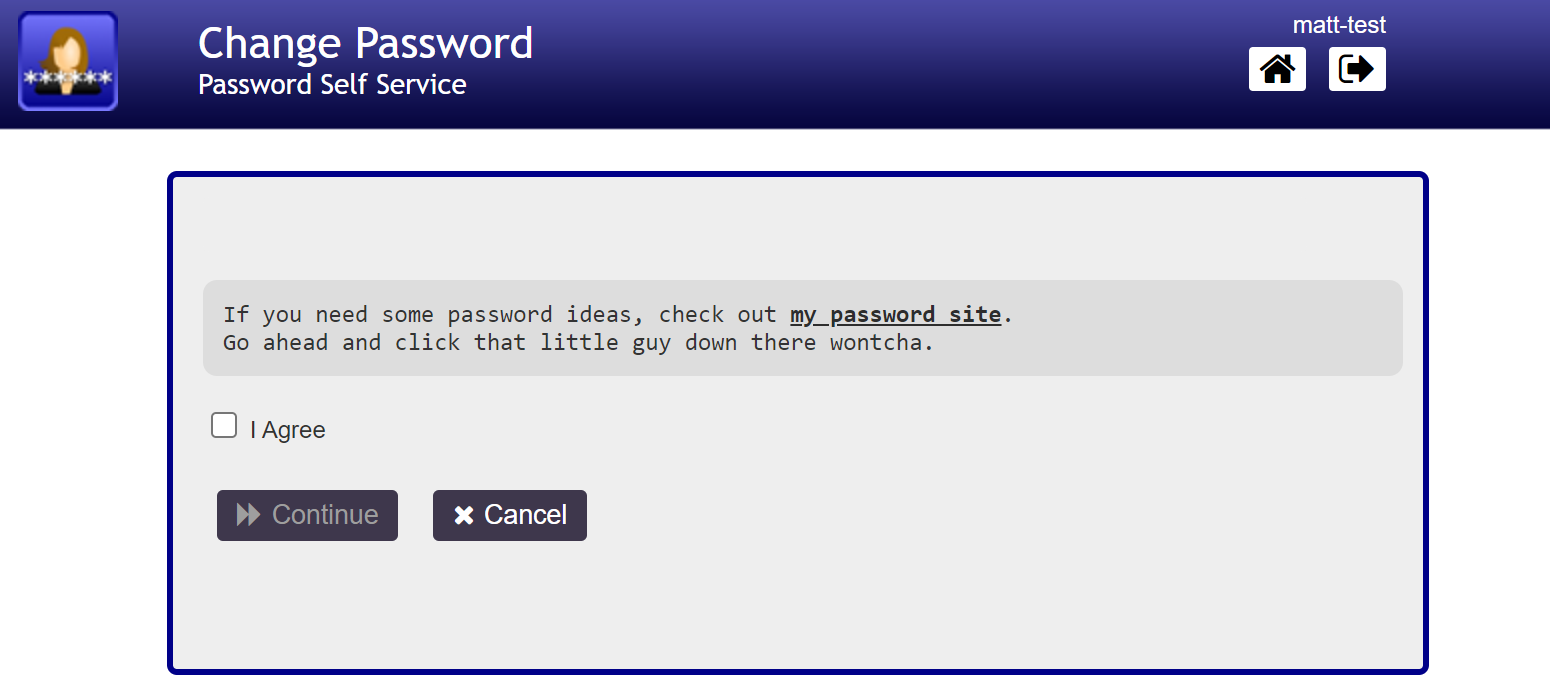
This is the first page presented to you when proceeding to change your password. I added a link to my password generator website that appears when you ask to change your password too in case you need some inspiration. From here it will ask for your current password, and after that you can set a new password.
Here is the email address update page. There will be a confirmation email before this will complete.

This service is called PWM and is also running in docker. This thing uses jdbc database connectors, so I wound up also making an oracle DB container for it too. I'm just glad it actually works.
No comments to display
No comments to display